Discovery
Can you compare alternatives by real purpose instead of browsing one undifferentiated list?
GRAPHICAL APP INSTALLERS
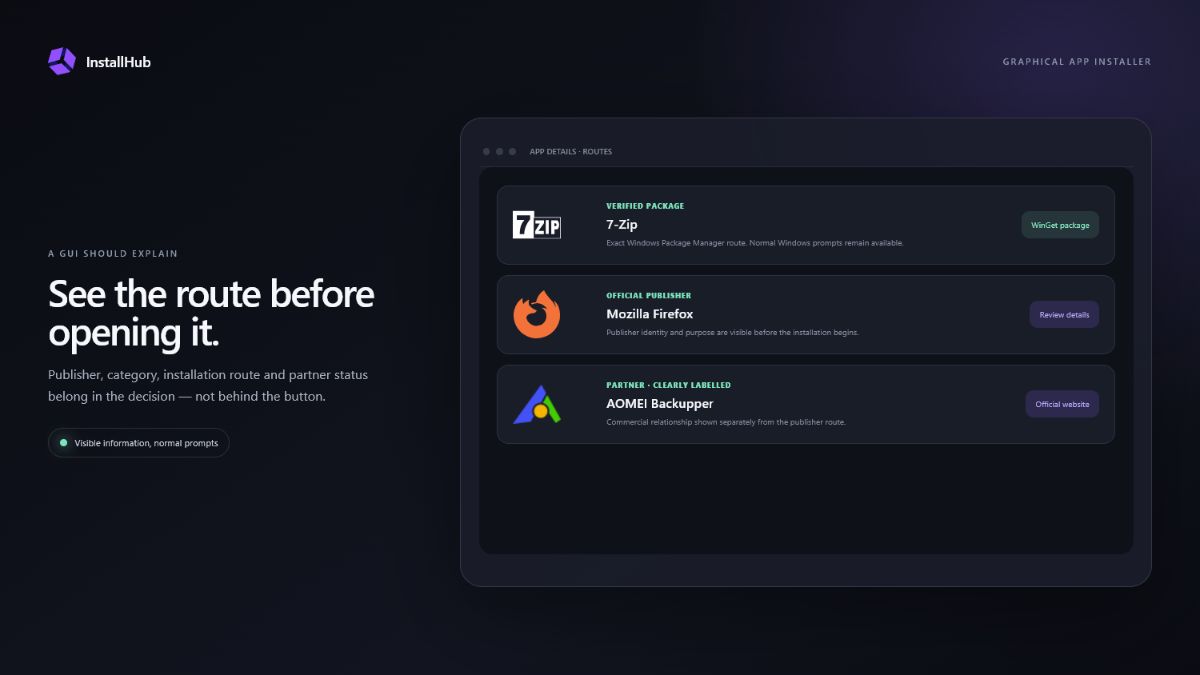
A graphical interface is valuable when it helps people compare applications, recognise the publisher and understand what will happen next. Convenience alone is not enough if the interface hides the package identity, commercial relationship or installer source.
QUICK ANSWER
The best interface is the one that fits the decision. New and everyday users benefit from categories, descriptions and visible actions. Technicians and developers may prefer exact package identifiers, scripts and exportable configurations.
CHECK THE INTERFACE
Three decisions that shape this setup.Can you compare alternatives by real purpose instead of browsing one undifferentiated list?
Can you see the publisher, package or official website route and any partner relationship?
Do Windows prompts and publisher choices remain visible when an installation begins?
01
A GUI replaces memorised commands with search, categories, buttons and readable application details. It can reduce typing mistakes and make a broad catalog approachable. It does not automatically verify every third-party product, guarantee compatibility or remove the terms of the publisher installer.
A good interface states its boundaries. If an application comes from a package source, show the exact route. If the publisher controls the download, say so before opening the website. If a link is commercial, label it before the user follows it.
02
WinGet can search, install, upgrade, remove, export and import supported packages. Its command line is efficient when you know the identifier and need a repeatable process. A GUI is stronger during exploration: it can explain categories, licences and alternatives without requiring package syntax.
These approaches are not enemies. A visual catalog can start an exact WinGet package for supported apps while using an official publisher route where package automation is not suitable. The interface should make that distinction visible.
03
Look for the publisher name, official destination, installation method, licence type, last meaningful content review, clear commercial labels and an explanation of what happens after clicking. A large app count is useful only when entries are maintained and understandable.
Also check whether the tool installs silently, launches the normal installer or merely opens a website. Those are different products. The wording should describe the real behavior rather than promise one-click automation that does not exist.
A polished button is not proof of a verified package. The surrounding information must explain the route.
04
Everyday users usually need plain categories and a short explanation. Advanced users want identifiers and control. Technicians need repeatability, diagnostics and a clear record of what was chosen. A useful GUI can serve all three by revealing detail progressively instead of hiding it.
InstallHub focuses on choice and visible routes. It is not a silent enterprise deployment system and does not claim to replace Windows Package Manager, publisher installers or ongoing patch-management products.
OFFICIAL REFERENCES
COMMON QUESTIONS
Not automatically. Safety depends on the source, package identity, publisher and user review. A GUI can make those details easier to understand, while a command can be more exact and repeatable.
Yes. A desktop interface can start supported WinGet packages, but it should still identify the route and preserve required Windows prompts.
A catalog helps you discover and choose software. A batch installer focuses on processing a prepared set. Some products combine parts of both workflows, but their limits should be stated clearly.
Some publishers control the edition, licence or installer on their own site. In that case the official publisher route may be more accurate than pretending every product is a uniform package.
INSTALLHUB FOR WINDOWS
Choose the applications you prefer. InstallHub shows the route and leaves installation decisions under your control.
Download InstallHub