Frequent task
Install a utility when Windows makes a repeated job unnecessarily slow or unclear.
WINDOWS UTILITIES
Utility lists become unhelpful when they treat every small tool as essential. This shortlist starts with common Windows jobs, shows credible alternatives and explains why most users need only one option from each group.
QUICK ANSWER
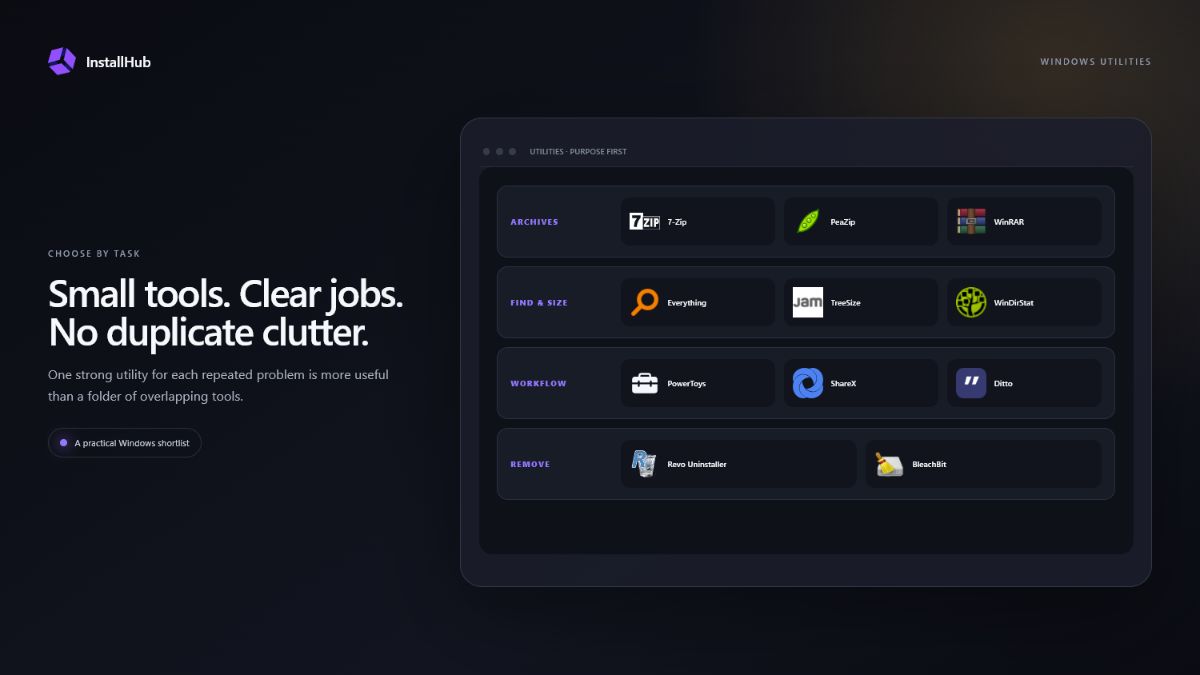
7-Zip, PeaZip and WinRAR overlap; Everything and Flow Launcher solve different kinds of search; TreeSize Free and WinDirStat explain disk usage; ShareX and Greenshot target capture. Choose by workflow rather than app count.
ASSEMBLE THE TOOLKIT
Three decisions that shape this setup.Install a utility when Windows makes a repeated job unnecessarily slow or unclear.
Avoid several programs competing for the same file types, hotkeys or context menus.
Check startup entries, Explorer menus, scheduled tasks and update behavior after installation.
01
7-Zip is a focused open-source archive tool. PeaZip offers a graphical archive workflow with broad format support. WinRAR is familiar to many users and supports the RAR workflow under its publisher’s licence. Most PCs need one primary archive manager, not all three.
After installation, confirm which formats the program owns and whether Explorer context-menu entries are useful. A second archive utility is reasonable only when a specific format or workflow requires it.
02
Everything specialises in fast filename search on supported Windows volumes. Flow Launcher combines app launching and searchable actions. TreeSize Free and WinDirStat visualise where storage is being consumed. These tools complement each other only when both search and storage analysis are regular tasks.
Do not delete large or unfamiliar folders simply because a chart highlights them. Identify the application, backup or Windows component that owns the data first.
03
Microsoft PowerToys groups several Windows enhancements such as window layout, rename and input utilities. Ditto extends clipboard history. Install either because a specific feature saves time, then disable modules or shortcuts you do not use.
More background utilities do not automatically make a PC more productive. Each startup item, global shortcut and Explorer extension adds behavior that may need troubleshooting later.
04
ShareX is suited to configurable capture and automation; Greenshot is a smaller screenshot workflow. Revo Uninstaller helps review application removal and leftovers. BleachBit targets selected temporary data. Read proposed deletions rather than treating a large number as proof that cleanup is beneficial.
Registry cleaning and aggressive automated deletion are not routine maintenance requirements. Create a backup before changing unfamiliar system areas and prefer built-in Windows storage controls for ordinary cleanup.
COMMON QUESTIONS
There is no correct number. Start with an archive tool and add utilities only when a repeated task justifies them.
Usually one default archive utility is enough. Keep both only when your file formats, workplace or workflow genuinely requires them.
Not for routine use. Windows includes storage controls. A specialist cleanup tool should be used selectively, with every proposed deletion reviewed.
TreeSize Free and WinDirStat are designed to visualise disk usage. Confirm what owns a folder before deleting it.
INSTALLHUB FOR WINDOWS
Choose the applications you prefer. InstallHub shows the route and leaves installation decisions under your control.
Download InstallHub