1Password keeps passwords, passkeys, payment details and secure notes in one account. On a Windows PC, the desktop app helps you organise that information; the browser extension brings it into the websites where you sign in.
It is a paid service, so the useful question is not simply where to download it. Check whether its app-and-extension workflow suits you, whether your PC supports the features you want, and how you will keep access if your usual device is lost.
START WITH THE RIGHT SOURCE
Download 1Password for Windows
Use the publisher's Official Windows download, which offers the 64-bit Windows app and a Microsoft Store route. InstallHub links you to that source; it does not host a repackaged 1Password installer.
App requirements are not feature requirements
1Password 8 supports 64-bit Windows 10 or later. The MSIX installer requires Windows 10 20H1 or newer; the publisher also documents an MSI option for older compatible versions. Native Windows passkey integration needs an up-to-date Windows 11 PC and the MSIX version.

Set up the app without missing the extension
- Install from the official source. Choose the Windows download or Microsoft Store option appropriate for your PC, then follow the publisher's setup prompts.
- Sign in to your 1Password account. If you are new to the service, choose a plan and create your account with the publisher first. Have your sign-in details ready. With the account-password and Secret Key model, a new device needs the Secret Key as well as the account password.
- Add the browser extension separately. Follow the publisher's browser guide to the extension for your supported browser. Do not assume the desktop installer has installed it.
- Check a familiar login. Confirm that you can find the right item and use it on its intended website before relying on the new setup.
Setup references: Windows app guide · Browser extension guide · About your Secret Key
If you also use InstallHub, selecting 1Password opens the publisher's download page in InstallHub's restricted internal browser. This catalog entry is a website route, not a WinGet installation or an automatic account setup.
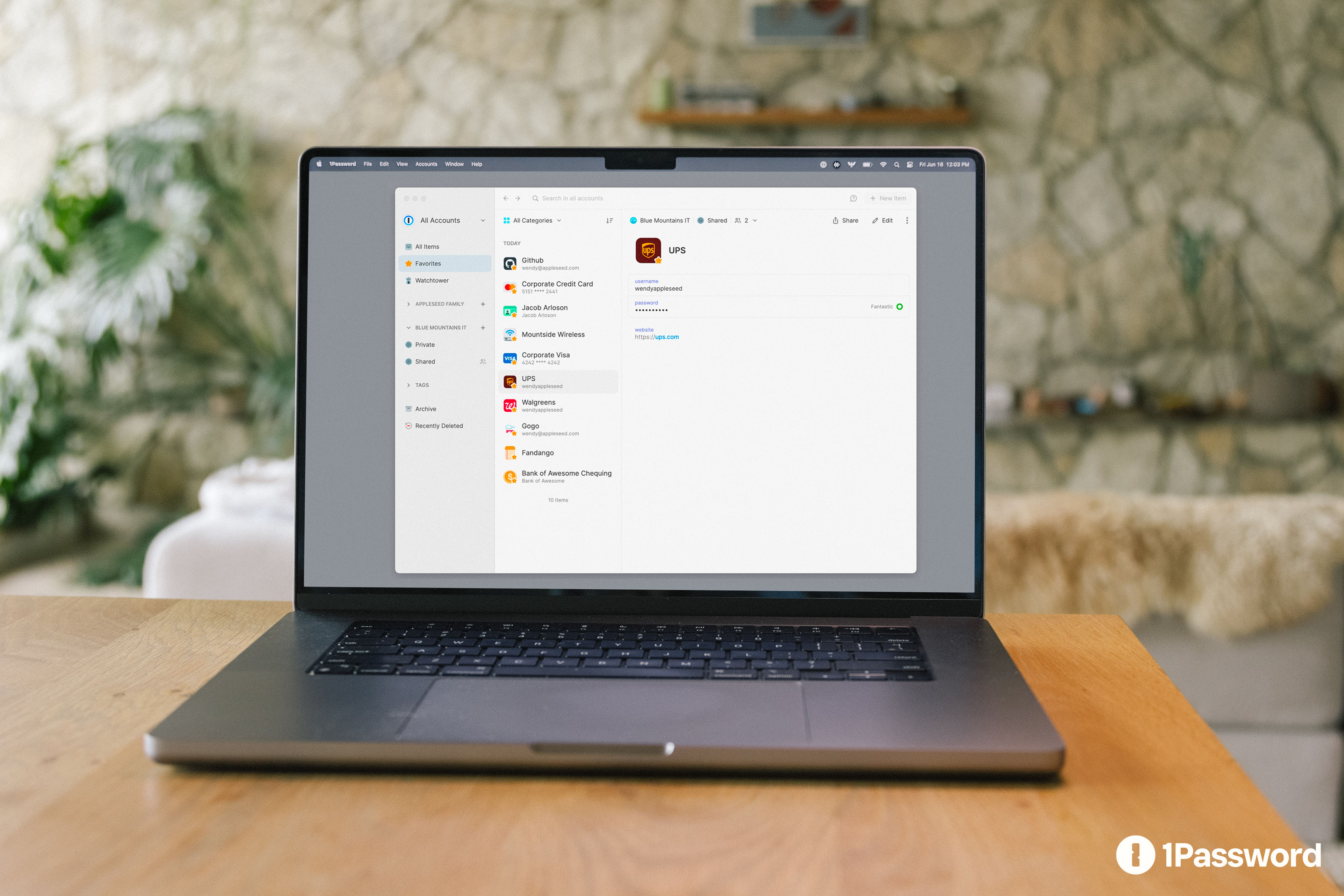
Windows app or browser extension?
They are complementary, not two names for the same thing. Start with the app for managing your stored information and add the extension for everyday website sign-ins.
| Where you work | What it is for |
|---|---|
| Windows app | Browse vaults, create or edit items, organise information and search. Quick Access opens with Ctrl + Shift + Space. |
| Browser extension | Save and fill website credentials, and use passkeys on supported websites. It is installed through a separate browser-specific route. |
A supported extension can connect to the desktop app so they share their lock state. That connection also allows browser unlocking through the app's Windows Hello integration. App and browser connection explains how the connection is secured.
Windows Hello and passkeys: what to expect
Unlocking with Windows Hello
On a compatible PC, configure Windows Hello first, then enable it in 1Password's Security settings. This can make daily unlocking more convenient, but it does not remove the need for your account password. Keep it available for the situations where password confirmation is still required. See Windows Hello setup.
Saving and using passkeys
The browser extension supports passkeys on compatible websites. Native Windows integration is a separate feature: it requires an up-to-date Windows 11 installation, the MSIX app and enabling 1Password as a passkey manager in Windows Settings. Follow Passkeys on Windows if that option is missing.
Removing a passkey from 1Password does not remove it from the website's account. Manage the website's own security settings too when retiring a credential.
Use Watchtower as a review list
Watchtower draws attention to saved credentials that may need work: weak or reused passwords, passwords found in breaches, compromised websites, and opportunities to enable two-factor authentication or passkeys.
Treat an alert as a reason to review the affected account and update its security settings. It is not a promise that every threat is detected or fixed automatically. The Watchtower guidance describes the checks and available controls.
Check the plan and prepare recovery access
1Password is subscription-based, not a permanently free password manager. The publisher currently offers a 14-day trial for personal and family plans; check the Personal and family plans for current pricing, renewal terms and eligibility rather than relying on a cached offer.
Before making it your main password manager, store your Emergency Kit securely somewhere you can reach without your usual PC. For accounts that use a Secret Key, remember that the key is not a replacement for your account password or a recovery code. Follow the Emergency Kit guidance for your account.
Keep credentials out of support messages
InstallHub does not need your account password, Secret Key, vault export or Emergency Kit. Never send those details with a question about this page or its download link.
QUICK ANSWERS
Common Windows setup questions
Does 1Password work on Windows 10?
The Windows app supports 64-bit Windows 10 or later. Native Windows passkey integration has stricter requirements: an up-to-date Windows 11 PC and the MSIX app. Check the system requirements above for the installer you intend to use.
Do I need both the app and the extension?
Use the desktop app to manage stored items and the extension to save and fill credentials directly on websites. Install the extension separately for the browser you use.
Can Windows Hello replace my account password?
No. It offers a convenient way to unlock on a configured, compatible device, but 1Password still requires the account password in some situations.
Does InstallHub install 1Password automatically?
No. This entry opens the official publisher website. You choose the download, approve installation and sign in with the publisher's own application.
Sources and editorial scope
This is an independently researched Windows setup guide, not a hands-on product review or a security audit. Facts were checked against the publisher's documentation on 11 October 2026. Requirements, interfaces and offers can change; the official links remain the place to confirm them before installing.
- Official Windows download
- System requirements
- Windows app guide
- Browser extension guide
- App and browser connection
- Passkeys on Windows
- Windows Hello setup
- Watchtower guidance
- About your Secret Key
- Emergency Kit guidance
- Personal and family plans
1Password and its product imagery belong to their respective owners. InstallHub is an independent catalog and is not the publisher of 1Password.